
What You Need To Know Before You Start Setting Up a Business Website

Business Website Plan – Every small business owner eventually realises they need a website. It might start with a Facebook page, an Instagram profile, or a Google My Business listing — but sooner or later, someone says, “You really should get a proper website.” That’s usually when things get complicated.
Many owners rush into building a site with a local designer, only to discover later that it doesn’t actually attract new customers anytime soon, which means they need to start paying for advertising on Google Ads or Facebook to drive potential visitors.
A good-looking website is easy to consider for brand awareness in terms of colour and layout. Still, a customer-generating website requires planning a “Business Website Plan” for what type of content is appropriate for what objective.
Let’s break down what’s really involved — and how to set yourself up for success from day one.
1. The Common Challenges When Building a Website
For most small business owners, setting up a website is a minefield of unknowns.
Here’s what typically gets in the way:
- Lack of technical know-how — Domain names, hosting, DNS, and plugins can feel like another language. Many end up with broken links, poor site speed, or security issues.
- Design and user experience issues — Sites are often cluttered, hard to navigate, or inconsistent with branding. If users can’t find what they need quickly, they’ll click away.
- Mobile responsiveness — As most web traffic now comes from mobile phones and tablets, if your site doesn’t work seamlessly on mobile, you’re invisible to half your market.
- Budget and time constraints — Limited funds and long to-do lists push many owners to DIY options or cheap packages that look fine but don’t perform.
- Unclear goals — A website without purpose is just a digital brochure. If you haven’t defined your goals — like generating leads, selling products, or booking appointments — you’ll miss the mark.
- Content creation — Writing your own content sounds simple until you sit down to do it. Suddenly, “About Us” feels like climbing Everest, especially when your time is competing with so many other priorities of running your business and your personal commitments.
- Ensuring that your business content is visible online — Getting found on Google isn’t automatic. It takes keyword research, consistent updates, and an understanding of how people actually search for your services. Your content tone, topics, and industry jargon need to reflect and align with the target audience’s knowledge and search expectations.
- Without planning, these challenges stack up — and you end up with a site that exists, but doesn’t work.
2. The platform of choice – Why WordPress is the Smart Choice for Small Business
When it comes to building a small business website, WordPress stands out for one reason: it gives you control.
It’s cost-effective, user-friendly, and scalable — meaning it grows with your business instead of boxing you in.
Here’s why it makes sense for most small business owners:
- Cost-effective: The core platform is free. You only pay for hosting and a domain. There are free, low-cost, open-source resources such as themes and plugins available to help you customise your site.
- Easy to use: You don’t need to code. You can edit pages, upload images, and add new content from a simple dashboard.
- Customisable: WordPress lets you easily change the design and functionality — from a simple service site to a full e-commerce store.
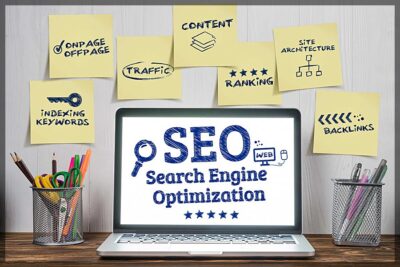
- SEO-friendly (Search Engine Optimisation): The default content structure aligns with Google’s index expectations for a clear, semantically structured document using heading tags correctly. The clean code and advanced SEO plugins like Yoast or Rank Math make it easier to optimise your pages so customers can actually find you online.
- Secure and supported: With regular updates and a vast global community, your site stays current and protected.
- Complete ownership: Unlike subscription models from Wix or Squarespace, you own and control your website’s files, data, and hosting. That means no platform lock-ins.
Think of WordPress as your business foundation online — a strong, flexible system built to respond to changing market conditions..
- Semantic structure: Self-hosted WordPress websites give complete control over your site’s HTML structure — a key factor in helping Google understand your content. Builders often restrict this.
- Advanced SEO tools: With plugins, you can manage meta tags, schema markup, and sitemaps far beyond what other platforms allow.
- Schema data: Adding schema (the data that helps Google display rich results like FAQs or reviews) is easy with plugins like Schema Pro or custom JSON-LD code.
- Scalability: As your business grows, WordPress websites can handle advanced SEO needs that drag-and-drop sites simply can’t.
- Performance optimisation: You can fine-tune speed, caching, and images for maximum performance. Builders offer limited control.
- Content marketing: WordPress began as a blogging platform — built for ongoing content creation, which drives long-term SEO visibility.
Bottom line: if you want a website that looks good and gets found online, WordPress is the better long-term investment.
4. Preparing to Build Your Website: What You Need to Do First
Before hiring a web graphic designer or developer, a bit of research homework goes a long way.
Your website is only as strong as the content and planning behind it.
Here is what you could consider doing before the first page goes live:
- Define your purpose. Decide what success looks like — more leads, online sales, or local visibility.
- Know your audience. Identify who you’re speaking to, learn your target audience’s main concerns, and identify the problems you can help solve.
- Research your competitors. Study what others in your industry are doing right — and where you can stand out.
- Plan your pages. Every site needs clear essentials: Home, About, Services, Contact, and a few key support pages like reviews, testimonials or FAQs.
- Create keyword-rich content. Research the words people use when searching for your service, then naturally include them in your copy.
- Write with clarity and intent. According to copywriting experts, the best practice is to focus on benefits rather than features. Tell people how your service improves their lives or solves their problems. Content type should consider and resonate with search intent by using the kinds of keyword phrases people use to find solutions to their interests. Are they ready to buy and looking for a seller of the specific solution, or are they searching for information on how to do something or the best X for Y solution?
- Buyer or informational-focused content. Buyer Keywords are those keywords searched for when an urgent solution to a person’s problem is needed. Informational intent keyword phrases are searched for when information about a solution to the problem is required, whereas Buyer Keywords always offer an immediate solution to the problem. Therefore, writing content for both will help attract potential customers while establishing trust by providing quality, helpful information that helps consumers make better decisions when buying.
- Add trust signals. Use honest testimonials, case studies, and quality images to build credibility.
- Include strong calls to action. Tell visitors what to do next — “Book Now,” “Get a Quote,” or “Call Today.”
- Plan for updates. Websites are not something that you “set and forget.” Build a plan for ongoing blog posts, news updates, or new product listings.
This groundwork ensures your designer has everything needed to create a site that truly performs.
5. Copywriting and Funnel Strategy — The Hidden Power Behind Every Great Website
A common mistake is assuming a designer will “write the content.”
But great websites don’t just look good — they sell through words.
That’s where copywriting and funnel strategy come in.
Every visitor lands on your site at a different stage of the buying journey.
Some are just curious or looking for information on how to do something or the best way to do it; some are comparing options; and others are ready to buy.
Effective copywriting frameworks moves readers naturally through those stages — from awareness to decision — using proven frameworks like PAS (Problem, Agitate, Solution) or AIDA (Attention, Interest, Desire, Action).
- It connects emotionally with your audience.
- It guides readers towards the next logical step.
- It transforms curiosity into action.
Without good copy, your funnel leaks leads.
Even the best-designed website won’t generate leads or convert visitors into customers if the words don’t resonate with the solutions that the consumers are looking for. If writing isn’t your strength, consider working with a professional copywriter. Consulting with an experienced copywriter will be one of the best investments you can make for your business before setting up a website.
When you blend these copywriting frameworks with the exact search-intent keywords people type into Google, your message becomes even more powerful.

Search intent tells you what the customer wants in that moment — whether they’re researching, comparing, or ready to buy.
By weaving those keyword phrases naturally into PAS or AIDA, you’re not only improving SEO, but you’re also meeting the searcher with language that matches their mindset.
This style of content alignment helps your funnel feel seamless: the ad speaks their language, the landing page reinforces it, and the offer becomes the logical answer to what they’re already searching for.
Your sales copy and content can both rank well and convert better because every page communicates relevance and intent. Someone searching “best leak detection service near me” or “sulphate-free shampoo benefits” sees content that mirrors their needs — and your framework-driven messaging guides them from curiosity to clarity, then to action.
Done right, it doesn’t feel like marketing; it feels like the reader has finally found the solution they were looking for.
6. Your Small Business Website Plan needs an Action Plan
Here’s how to turn all this into action:
- Set your goals — Decide exactly what you want your website to achieve.
- Research and plan — Understand your audience, competition, and keywords. Why do your customers buy what features for what benefits?
- Choose WordPress — Build on a platform that supports growth and SEO. Choose a design theme that is professional and aligns with the layout preferences required for your business objectives.
- Prepare your content — Write or commission clear, benefit-driven copy.
- Map your funnel — Make sure each page leads visitors toward an action.
- Launch, test, and track — Mobile test, check speed, and use analytics to measure results.
- Stay active — Update your content regularly and keep SEO fresh.
When you approach your website as a marketing tool instead of a digital brochure, everything changes.
You stop guessing — and start generating leads, bookings, and sales.
Final Thoughts about Getting Your Business Website Plan Right Before You Start
Getting your website right isn’t about being tech-savvy, looking groovy or being fancy and pretty.
It’s about being strategic in how you intend to respond to customers who are already looking for the services you offer in specific locations.
What content will you need to develop to attract their interest?
When you plan properly — with purpose, structure, and strong content — your website becomes more than an online presence.
It becomes a 24/7 marketing engine that works for your business while you sleep. That’s the real power of getting organised before you build.